
Virtual Computing Lab
ubuntuStudent1
Issued for: Ahmad Hassan A M Gh A H Ali - 230100057
Server IP: 165.232.118.24
Semester: Fall 2025-2026
Course: IST219-SEC04-Lab
Started at: 16/12/2025 08:05 AM
Terminates at: 16/12/2025 10:05 AM
Container Status
Loading container status...
Last updated: Loading...
Ubuntu Desktop
Complete Ubuntu 22.04 LTS desktop environment with graphical interface
Launch Ubuntu DesktopFeatures: Full desktop environment, Firefox browser, LibreOffice suite, Terminal access
Development Tools: Text editors, basic development packages, package manager (apt)
File Access: Shared folder available at /home/kasm-user/shared (read-only)
Usage: General computing, document editing, web browsing, basic programming
General Instructions
Please wait 3 to 5 minutes until the desktop environment is ready to use.
Click on "Launch Desktop" to start using the desktop environment.
Use the provided username and password from the tools section below.
Security Certificate Warning
If you see a security warning like this:
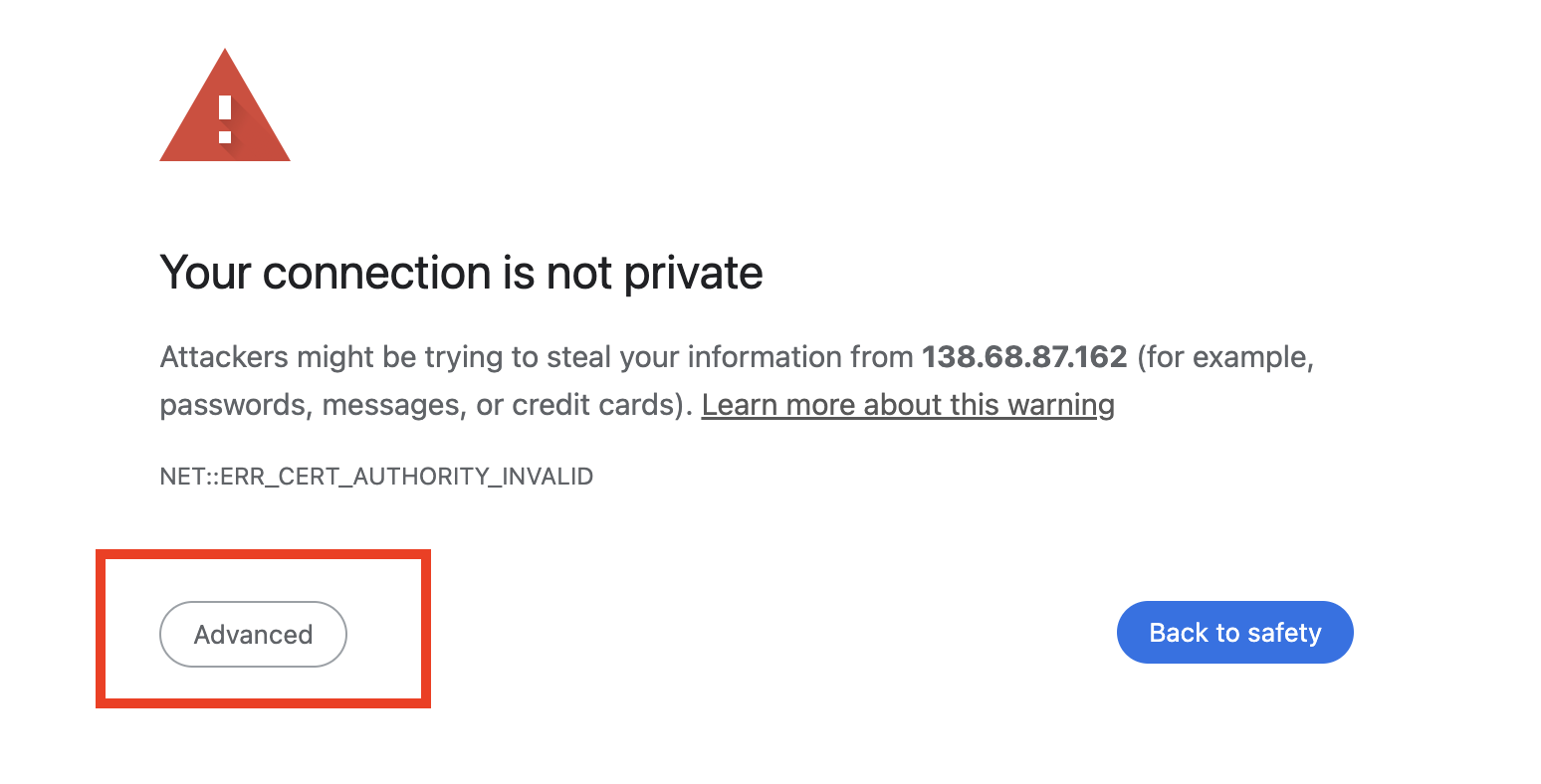
Click on "Advanced", then "Proceed to..."
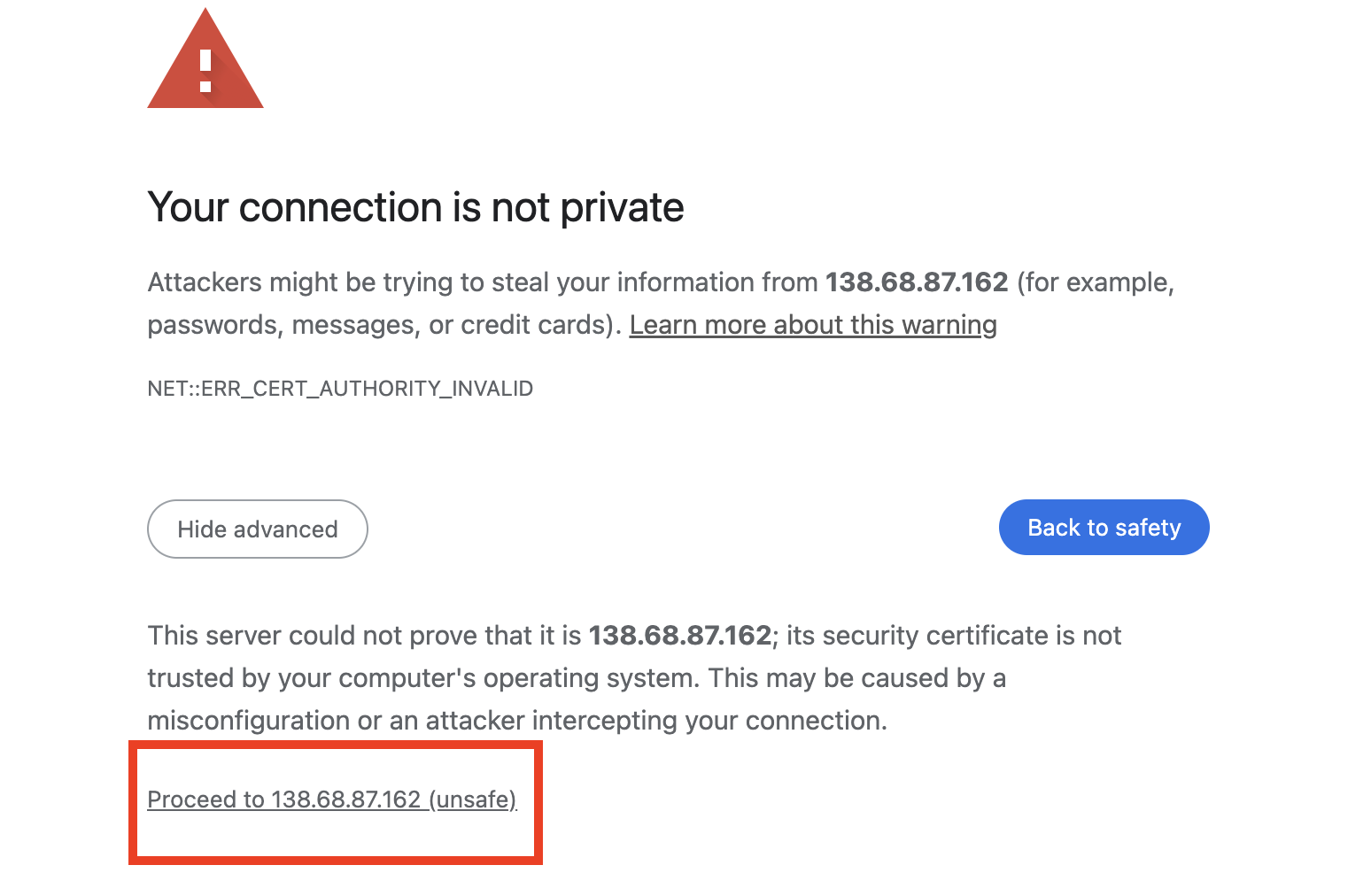
This is normal for internal lab environments and is safe to proceed.